
 EN
Trading Overview
From zero to your first trade in four steps
Open your account
Sign up with your name, email and a password. Two minutes, no paperwork. Nothing moves until you add funds, so you can look around with no risk.
Verify your email
We email you a six digit code. Type it in and your account is fully active and protected.
Learn the trading screen
Open the trading screen, watch how prices move, and learn every button before your first real trade.
Fund and go live
Deposit from $100 with crypto or a gift card, then trade the real balance whenever you choose.
Buy and sell in two taps
Every ticket shows the live price, the chart and the volume before you commit. Buy and sell sit side by side, so a trade takes two taps once you have decided your size.
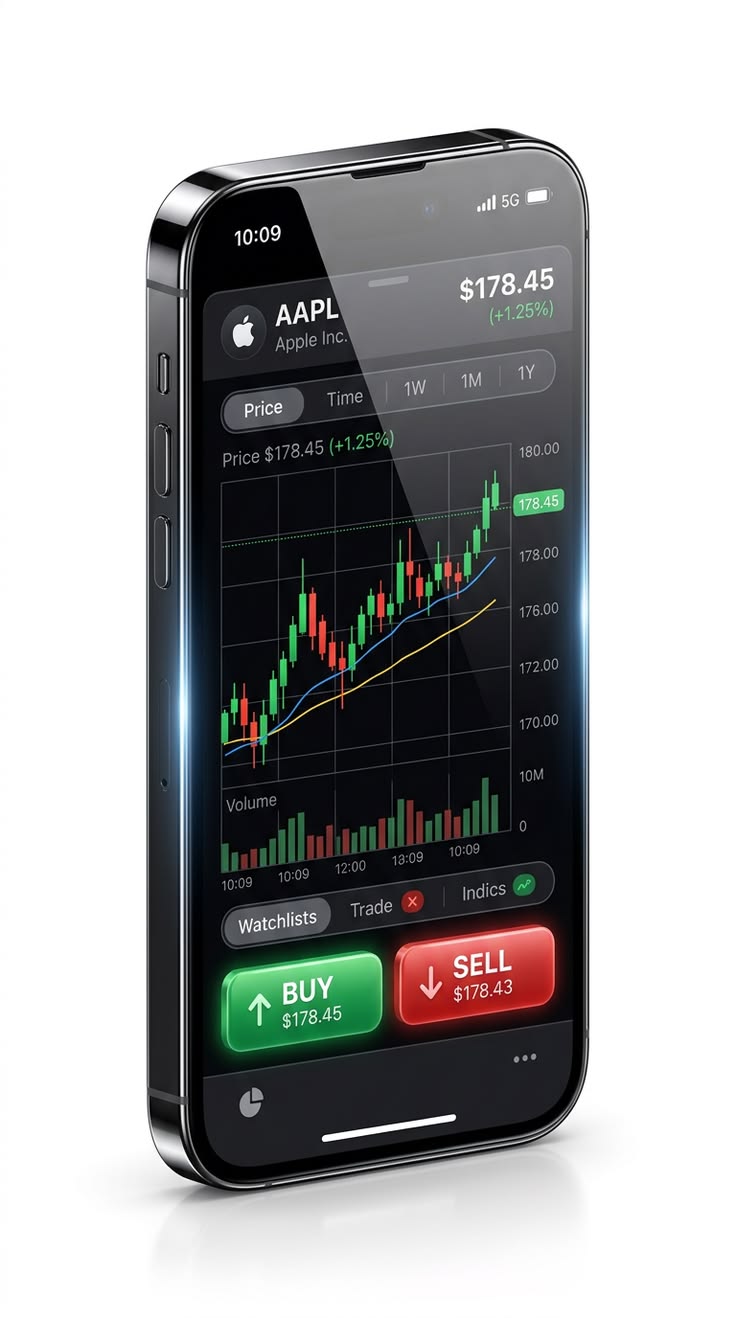
How a trade is placed
Pick a pair, choose your lot size, and check the margin number shown before you confirm. Margin is the amount set aside from your available balance while the trade stays open. One click opens the position, and it appears instantly in My Positions with a live profit and loss figure. You can close it at any second, or let your stop loss and take profit do it for you.
Habits that keep beginners safe

What trading costs on FalconLB
| Cost | Amount | When |
|---|---|---|
| Spread on major pairs | from 0.8 pips | Charged inside the price when you open and close |
| Commission | None | Never |
| Deposits and withdrawals | Free | Crypto and gift card, any amount above the minimum |
| Inactivity or account fees | None | Never |